15+ years in the making

The Docket Method

The Docket Method is how I run my days. It's a simple system for picking what matters most to work on, and logging what actually happened. That's really all there is to it.

How it works See the tool
Tasks Time Log Calendar Inbox
TheDocketMethod — Today Wed, Mar 4
WEDNESDAY · MIT
#429 Mojo nightly
#428 Offers
Deploy build
EVENTS
11:00 AVA/TaxNetUSA
INBOX
Cron job idea…
TIME LOG
06:57Deployed to Cloudflare.
09:02Breakfast: eggs, sourdough.
12:27Long chat with TNU.
16:26Opened PR #437 Offers.
18:40Dinner: steak, greens.
Agent online · 3 MIT · 8 log entries
Docket Method Logo
Tasks Log Events Inbox
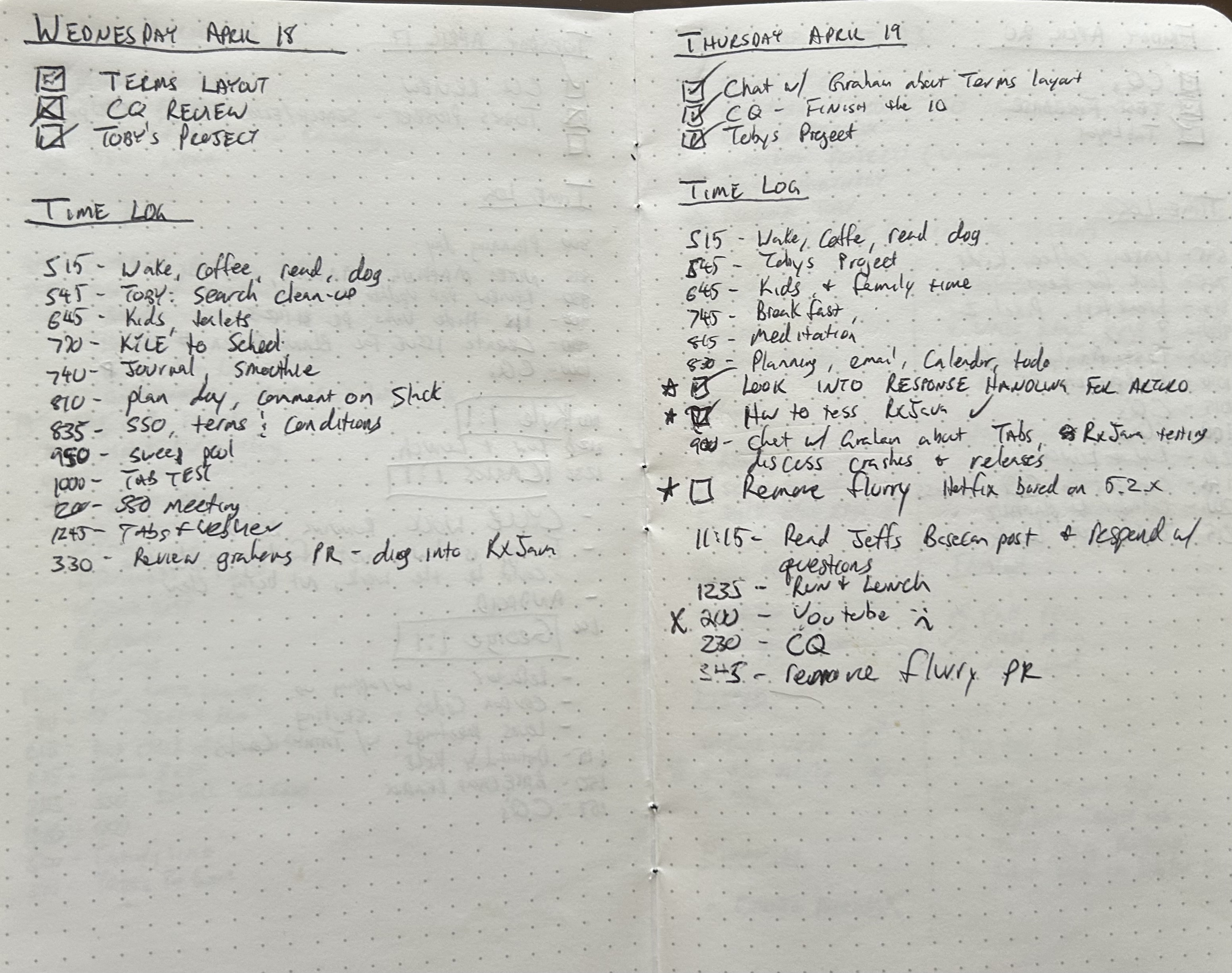
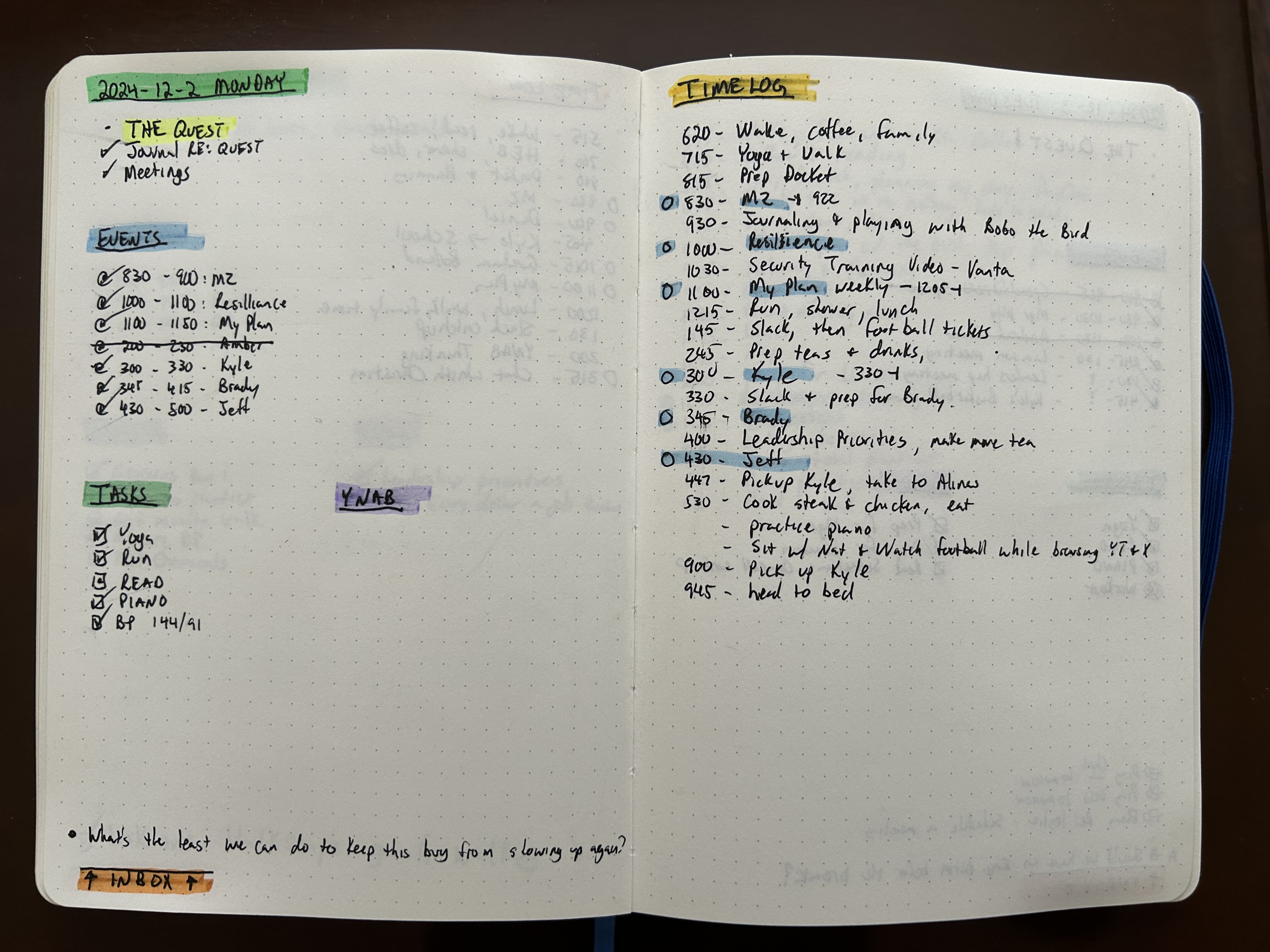
The paper version. The highlights have always matched.
circa 2016 (still using it)
Where it started

It started in a notebook.
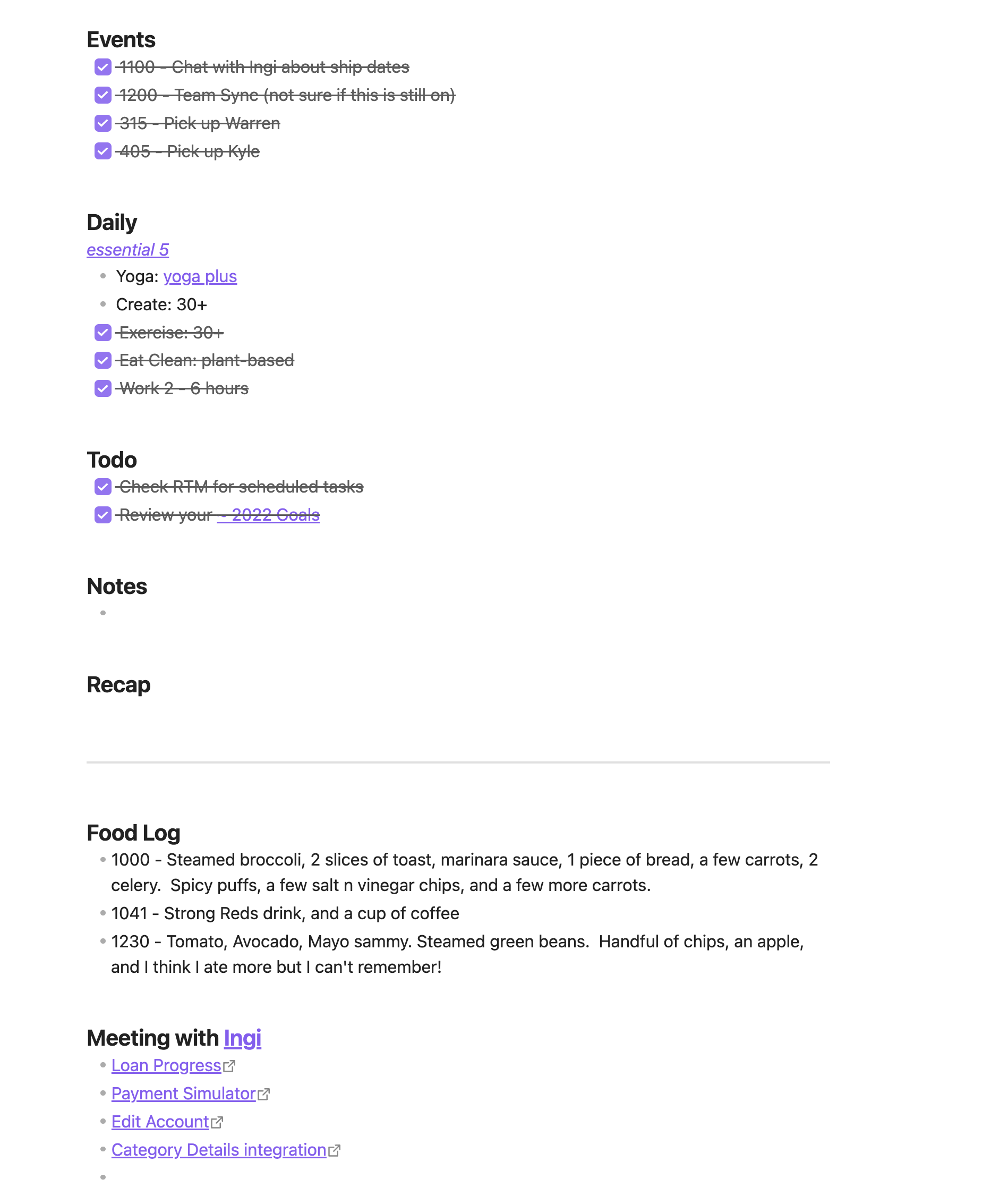
Then an evernote.

Been refining this since 2005 — Franklin Covey class, then the planner, Evernote, endless paper notebooks, text editors, Obsidian, finally plain text files anyone can open forever. The core never changed: 1–3 MITs at the top, timestamped log of reality below it.

The core idea is simple: pick the things that actually matter today, write down what happens, don't lose ideas to the void. I've tried plenty of other systems. They were either too rigid, too fussy, or required you to read a 300-page book before you could use them.

This one fits on a notebook page. Always has.
The short version

Most productivity advice is about doing more.
Mine is about picking the right things to work on.

I'm not anti-productivity. I'm just realistic about what a human can get done in a day. The Docket Method isn't about tracking all the minutiae. It asks you to pick three things, write them down, and log what happens. That's it.

Everything else is optional (and likely a distraction).

"The goal isn't to do more. It's to do the right things — and actually remember that you did them."
01

Pick three things. Not thirty.

Your Most Important Tasks are the things that, if done, make the day a success. One to three. If you finish them and still have time, great — there's a TODO list for that.

02

Log it like a captain.

The Time Log is a timestamped running record of your day. You can capture what you ate, who you talked to, what you figured out. It's not a task list. You'll be surprised at how useful it is.

03

Capture ideas before they disappear.

The Inbox is for thoughts that aren't tasks yet. Toss them in now, decide later. "Explore that TallyThings integration" isn't a task — it's a maybe. Treat it like one.

1–3
MIT per day.
Not more. Well, sometimes more.
Log entries.
Write everything down.
7
Day rhythm.
The week is your unit of measure.
15+
Years refining this.
Still going.
How It Works

Four pieces. Each one pulls its weight.

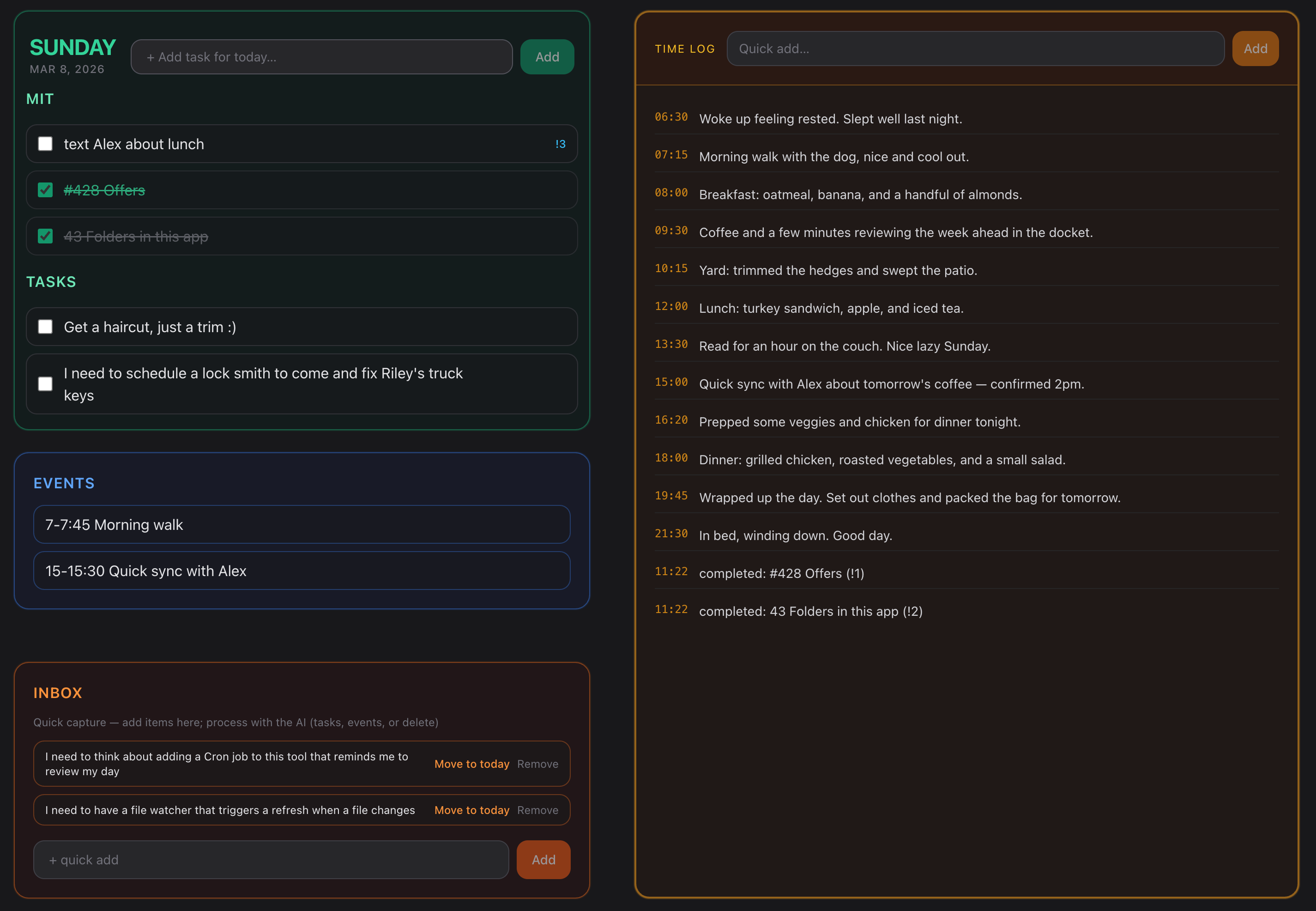
Each part of the Docket has a color and a job. After a while you don't think about it — you just look at the page and know what's what.

Tasks & MIT 01

The stuff that matters today.

MIT stands for Most Important Tasks. You pick them in the morning — one to three things that, if done, make the day worth it. Below that is a general TODO, for everything else. The separation matters more than you'd think.

This morning's MIT →
Ship the new onboarding flow
Follow up with TNU on pricing
Time Log 02

The running record of your day.

Every entry gets a timestamp. You write what happened — not what you planned, what actually happened. Meals, calls, breakthroughs, the thing you finally figured out at 3pm. It sounds like overkill until you go back and read it.

14:23 Finally figured out the tax_exempt field issue. Moving it to inventories table.
18:40 Dinner: steak, green beans, half baked potato.
Calendar 03

What's already claimed.

Calendar events show up in your Today view alongside your tasks. This sounds obvious, but most systems keep them separate. When you can see a 2-hour meeting next to your MIT list, you plan more honestly.

11:00 – 11:30
AVA / TaxNetUSA Zoom · March
Inbox 04

Where ideas go before they're tasks.

The Inbox is a zero-friction capture bucket. Not a todo, not a project — just a place to park a thought so it doesn't disappear. "I should look into that TallyThings integration" is not a task. It's a maybe. Put it in the Inbox and deal with it Friday.

Add a cron job to remind me to review my day
File watcher that triggers on file changes
localhost:8000
WEDNESDAY, MAR 4
MIT ·
#429 Mojo nightly loads
Deploy new build
11:00 AVA/TaxNetUSA Zoom
INBOX · Cron job reminder idea…
[ screenshot placeholder ]
The Tool

It started as a Moleskine, then a simplet text file.
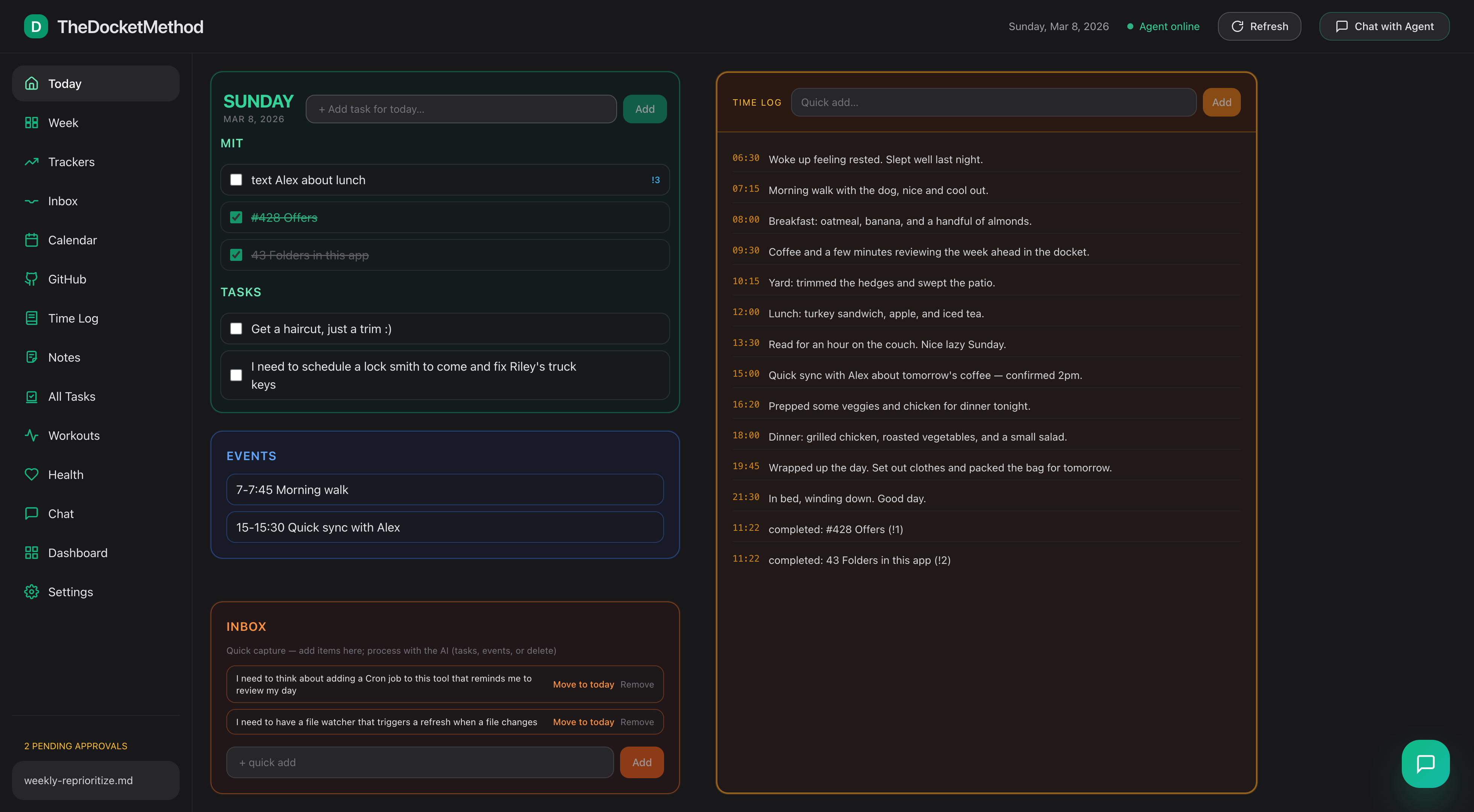
Now it has a UI.

The app is a local-first FastAPI + Vue web app that runs on your machine. No accounts, no subscription, no cloud. Your Time Log doesn't leave your laptop. That part was non-negotiable.

I'm always running it. If I wanted to share it with other people, I probably should have made it easier to install — I'm working on that.

Local-first, always fast

Runs on your machine. No cloud, no latency, no one else's uptime problem.

📄

Plain files underneath

Markdown and simple formats. You can read them without the app. I think that matters.

🔗

GitHub integration

PRs, issues, releases, milestones — all in the Today view. I work on software. It made sense.

🔒

Your data stays yours

I log what I eat and what I think about. That doesn't go to a server somewhere.

The Agent

The Agent

Now I feed those files to an AI agent. It knows my day — MITs, log, calendar, inbox. Becomes my assistant without me typing the same thing five times.

"Log that I walked 30 min."
"What were yesterday's MITs?"
"Move this to tomorrow."
It asks before touching files. You stay in control. Telegram works too.

Tasks Set MITs, close tasks, plan tomorrow
Log Add entries, recap the day, review the week
Calendar Schedule events, surface what's coming
Inbox Capture fast, sort out later
D
Docket Agent
Online · knows your context
What should I work on tomorrow?
You got 2 of 3 MITs done today. For tomorrow: #437 Offers PR (it's lingering), TNU follow-up, and the closet hangar (third day running). Want me to set them?
Yeah. Also log that I had a good workout.
Done — MITs set for Thursday. Logged 18:52 → Good workout today. Your exercise streak is at 4 days. 🔥
Throw "look into TallyThings" in my inbox.
Added to Inbox. You've got 3 items in there now — worth a pass on Friday when you do your weekly review.
Coming soon-ish

I'm making it easier to use
for people who aren't me.

Right now it's a local setup — not super friendly yet. I'm smoothing that out. DM me on X if you want a single "it's ready" note when it's easier for normal humans. No newsletter, no spam, promise.

DM me on X @kevinwlee

I'll let you know when it's ready.

In the meantime, the method is free:

Grab a notebook. Write today's date. Write MIT at the top and pick three things. Draw a line down the middle — tasks on the left, Time Log on the right. Start writing.

That's it. The app is just 15+ years of making that page less annoying to maintain.